Unplugged Coding: How to Teach Computational Thinking Without Screens
In short
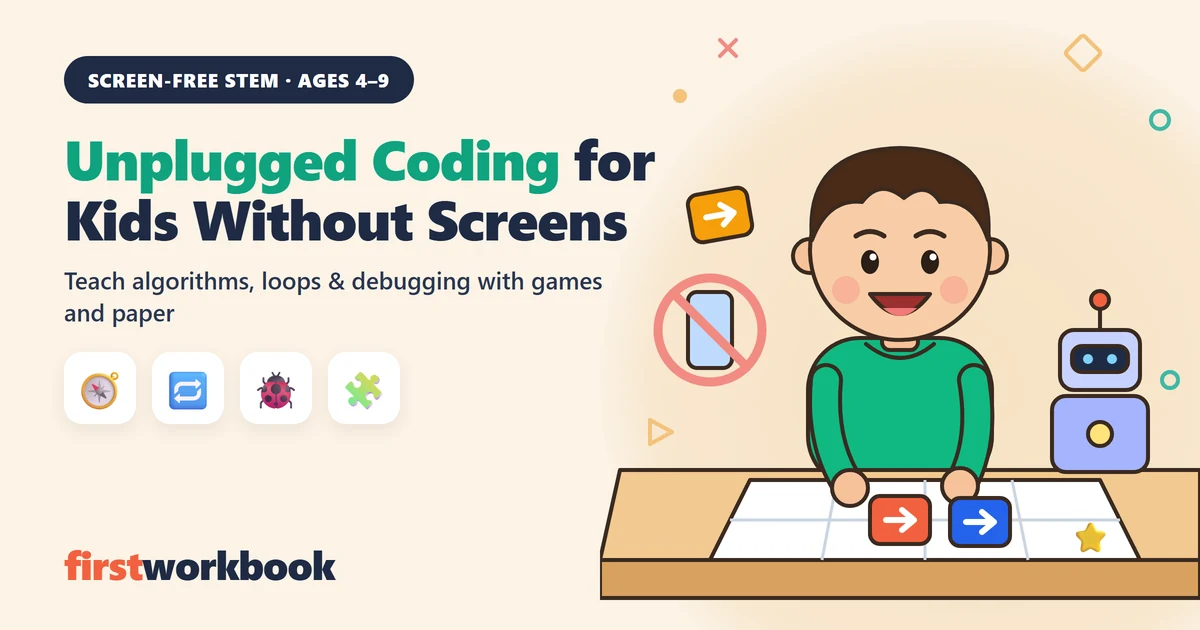
Discover how to teach computational thinking, algorithms, and debugging to kids aged 4–9 using active games, floor grids, and hands-on workbooks without any digital screens.
In our increasingly software-driven society, parents and educators frequently hear that learning to code is the "new literacy." From artificial intelligence to automated robotics, computer science skills are undeniably reshaping the future workforce. Consequently, well-intentioned parents rush to enroll four- and five-year-olds in commercial online coding academies or download gamified coding applications onto tablets, assuming early screen immersion is necessary to build a future computer engineer.
Yet leading computer scientists from MIT, Stanford, and Carnegie Mellon advocate an entirely different paradigm for young learners: Unplugged Coding. True computer science is not about staring at a glowing monitor or memorizing syntax commands in Python or JavaScript. At its core, coding is about computational thinking—the ability to break complex problems into sequential steps, identify repeating patterns, eliminate errors through debugging, and formulate precise algorithmic solutions.
These cognitive abilities are learned far more deeply, playfully, and sustainably through hands-on physical games, spatial movement, floor grids, and tactile paper-and-pencil activities. This comprehensive handbook provides parents and primary educators with an evidence-based roadmap to introduce unplugged coding to children aged 4 to 9. We explore fundamental computational pillars, hands-on household games, a developmental milestone matrix, and structured workbook integration featuring FirstWorkbook's Coding Without Screens Workbook.
The Neuroscience of Computational Thinking: Why Screens Aren't Required
To understand why unplugged coding is peerlessly effective during early childhood, we must examine developmental cognitive architecture. According to Jean Piaget’s foundational stages of cognitive development, children between the ages of 4 and 7 operate primarily in the preoperational stage, transitioning into the concrete operational stage around age seven or eight.
1. Sensorimotor Anchoring of Abstract Logic
Young brains cannot effectively process abstract symbolic logic on two-dimensional digital screens without first anchoring those concepts in physical, three-dimensional reality. When a five-year-old physically navigates a living-room obstacle course by stepping forward three paces, turning 90 degrees right, and jumping over a cushion, their vestibular and proprioceptive systems encode the concept of an algorithm through bodily kinesthetics. The abstract command is converted into a tangible physical sensation, resulting in durable neural encoding.
2. Eliminating Digital Distractions and Gamified Traps
Most commercial digital coding apps for preschoolers rely on excessive sensory stimulation: flashing banners, celebratory chimes, cartoon animations, and virtual rewards. These gamified features hijack the child's dopamine pathways, shifting attention from algorithmic logic to superficial button-clicking. Children rapidly learn to guess randomly until the screen flashes green. Unplugged coding on paper and in physical space removes digital noise, fostering patient, deliberative executive functioning and deep analytical focus.
3. Real-World Debugging and Spatial Perspective Taking
When children program a peer or a parent to walk across a tiled grid, they must perform mental rotation and spatial perspective-taking. If the human "robot" faces away from them, "turn right" means something entirely different than if the robot faces toward them. This physical debugging experience builds spatial reasoning and theory of mind—skills that correlate strongly with long-term mathematical and engineering success.
The Four Foundational Pillars of Computational Thinking
Unplugged computer science education revolves around four universal cognitive principles:
| Computational Pillar | Simple Definition for Kids | Real-World Everyday Analogy | Primary Cognitive Skill |
|---|---|---|---|
| 1. Decomposition | Breaking a huge problem into tiny, manageable steps | Brushing teeth: pick up brush, apply paste, brush top, rinse mouth | Executive functioning & task analysis |
| 2. Pattern Recognition | Spotting similarities, repetitions, and predictable trends | Recognizing day/night cycles or rhyme patterns in a nursery song | Inductive logic & data classification |
| 3. Abstraction | Filtering out irrelevant details to focus on what truly matters | A metro map showing stops as dots rather than exact curved roads | Conceptual modeling & selective attention |
| 4. Algorithm Design | Creating an exact, ordered sequence of instructions to solve a task | A baking recipe or origami paper-folding instructions | Sequential planning & causal reasoning |
Age-Wise Developmental Milestones in Unplugged Coding
| Age Group | Class / Stage | Cognitive Readiness | Target Unplugged Coding Capabilities |
|---|---|---|---|
| Ages 4–5 | LKG / UKG | Understands simple directions (forward, back); recognizes repeating AB/AAB patterns | Guiding a toy car with directional arrow cards; roleplaying as a robot; basic 3-step sequence workbooks |
| Ages 6–7 | Classes 1–2 | Understands left vs. right; grasps loops (repeated actions); can identify errors in a plan | Navigating complex floor grids; coding conditional statements ("If... Then..."); debugging paper mazes |
| Ages 8–9 | Classes 3–4 | Abstract spatial planning; understands binary logic (0/1); creates nested sequences | Writing pseudocode; decoding binary pixel art; designing multi-variable board games and flowchart maps |
7 Actionable Unplugged Coding Activities to Do at Home
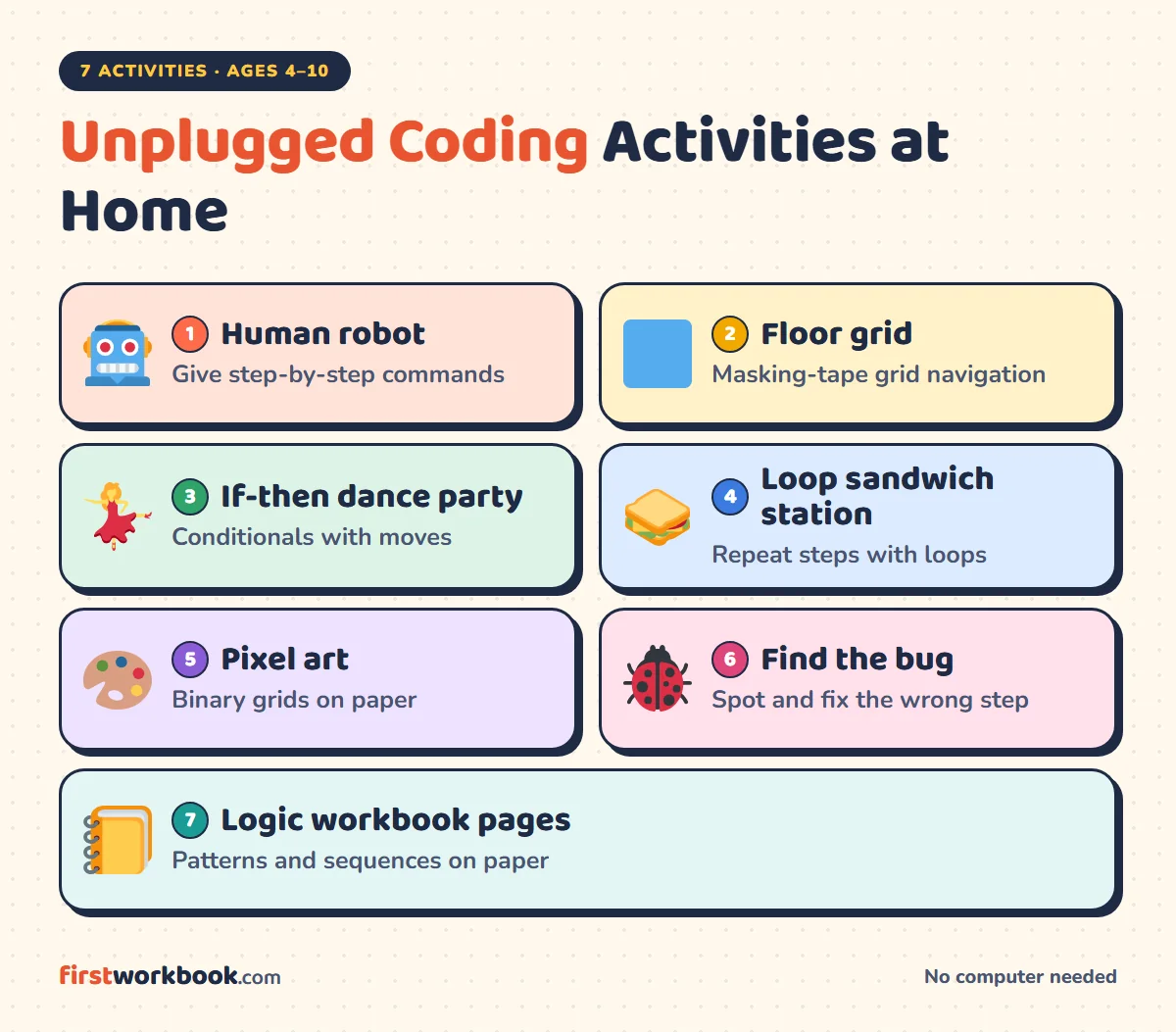
1. The "Human Robot" Living-Room Obstacle Course
This classic activity is the quintessential introduction to algorithm design. One person acts as the "Programmer", while the other plays the "Robot". The Robot can only move when given exact, literal commands: "Step forward 2 paces", "Rotate 90 degrees right", or "Pick up the red cushion".
The Learning Moment: If the Programmer says "Walk to the sofa", the Robot must stop and beep an error: "Error 404: Command too vague! How many steps?" This hilariously demonstrates that computers do not possess intuition; they require precise, unambiguous sequential commands.
2. Masking-Tape Floor Grid Navigation
Use blue painter's masking tape to create a 4x4 or 5x5 square grid on your living room floor or tile. Place a prize (e.g., a small toy or apple) in one corner square and obstacles (cushions or plastic cups) in several intermediate squares.
Give your child cardboard arrow cards (↑ Forward, ↓ Backward, ← Turn Left, → Turn Right). The child must lay out a line of arrow cards on the floor to construct an algorithm that steers their toy animal from the starting square to the goal without hitting an obstacle.
3. Physical "If-Then" (Conditionals) Dance Party
In computer programming, a conditional statement directs the computer to make decisions based on specific conditions: IF condition IS true, THEN execute action.
Turn this into an active movement game. Establish rules before playing music:
- "IF I hold up a red cup, THEN freeze like a statue."
- "IF I hold up a yellow cup, THEN jump on one foot."
- "IF the music stops, THEN sit on the floor."
Advance to If-Else statements: "IF you are wearing blue, clap your hands; ELSE, touch your toes!" Children internalize Boolean decision logic while laughing and moving.
4. The Loop Sandwich Station
A loop tells a computer to repeat a block of code multiple times without re-writing the instruction. Illustrate this during afternoon snack preparation.
Write out the repetitive algorithm for buttering crackers:
- Pick up a cracker.
- Spread butter.
- Place cracker on plate.
- REPEAT steps 1–3 for 4 times (LOOP).
Explain that without loops, programmers would have to write hundreds of identical lines of code. Loops save time, conserve memory, and prevent errors.
5. Paper-and-Pencil Pixel Art and Binary Grids
All digital displays—from smartphone screens to movie theaters—display images using microscopic colored squares called pixels. Furthermore, computers store and transmit all data using binary numbers: 0s (Off / White) and 1s (On / Black).
Print a simple 8x8 square grid. Create a binary code sheet for each row:
- Row 1: 0, 0, 1, 1, 1, 1, 0, 0
- Row 2: 0, 1, 1, 1, 1, 1, 1, 0
- Row 3: 1, 1, 0, 1, 1, 0, 1, 1 (Eyes)
Instruct your child to color the squares black for '1' and leave them blank for '0'. As they fill the cells, a hidden cartoon alien or heart emerges! This demystifies digital imaging and introduces binary encoding tangibly.
6. The "Find the Bug" Debugging Challenge
In 1947, computer pioneer Admiral Grace Hopper discovered a literal moth trapped inside the Harvard Mark II computer relay, coining the term "debugging". Teaching children that errors are normal, interesting challenges—rather than shameful mistakes—is paramount for growth mindset.
Draw a path on paper from a puppy to a bone. Intentionally write out a flawed sequence of arrow directions where one turn is wrong, causing the puppy to hit a brick wall. Challenge your child to be the "Detective Debugger", identify the incorrect arrow, and replace it with the correct instruction.
7. Structured Workbook Learning with Dedicated Unplugged Exercises
Hands-on physical games should be complemented by daily, structured pencil-and-paper challenges. A dedicated computational workbook provides organized progression from basic sequencing to complex algorithmic branching.
In FirstWorkbook's Coding Without Screens: Sequencing & Algorithms Workbook, children explore full-page grid mazes, symbol-based coding keys, conditional coloring sheets, and pattern completion puzzles. Just 15 minutes of daily workbook practice bridges concrete games to abstract cognitive reasoning.
Teaching Algorithmic Flowcharts: Visual Logic for Kids
As children reach ages 6 to 9, they can begin representing computational logic using standard visual flowcharts. Flowcharts provide an intuitive bridge between spoken language and formal computer architecture.

1. The Three Essential Flowchart Symbols
Introduce these three universal geometric conventions using colored paper cutouts:
- The Oval (Start / End): Marks the exact beginning or termination point of the program (e.g., "Start Morning Routine").
- The Rectangle (Process / Action): Represents an explicit physical action command (e.g., "Pack School Bag", "Tie Shoelaces").
- The Diamond (Decision / Conditional): Represents a question requiring a 'Yes' or 'No' branch (e.g., "Is It Raining Outside?"). If 'Yes', branch to "Take Umbrella"; if 'No', branch directly to "Walk to Bus".
Drafting daily routines as flowcharts on a dry-erase whiteboard teaches children that life is filled with logical decision trees and natural consequences.
Weekly Unplugged Coding Family Schedule
Incorporate computational thinking into your home effortlessly with this balanced 5-day weekly rhythm:
| Day of Week | Target Unplugged Activity | Primary Computational Concept | Duration |
|---|---|---|---|
| Monday | Floor Grid Arrow Challenge | Algorithm sequencing & spatial orientation | 15 minutes |
| Tuesday | FirstWorkbook Coding Sheets | Paper-and-pencil maze decoding & conditionals | 15 minutes |
| Wednesday | Human Robot Living-Room Obstacle | Decomposition, debugging, and literal instructions | 20 minutes |
| Thursday | Binary Pixel Art Grid Coloring | Data representation & binary numbers (0s and 1s) | 15 minutes |
| Friday | Family Board Game (Chess / Ludo) | Predictive logic, branch calculation, & strategic planning | 25 minutes |
How Unplugged Coding Accelerates Core Academic Subjects
Parents often view coding as an isolated specialty subject. In reality, computational thinking acts as a cognitive multiplier across all primary academics:
1. Mathematical Mastery and Word Problem Solving
Mathematical problem-solving requires decomposition: taking a multi-step word problem, separating relevant figures from narrative text, and executing operations in order. A child trained in unplugged algorithmic sequencing approaches complex math with calm, systematic confidence.
2. Reading Comprehension and Story Sequencing
Narrative comprehension relies on chronological sequencing: beginning, rising action, climax, and resolution. When children grasp that changing the sequence of code breaks the output, they understand why the sequence of events in a story dictates character motivations and plot outcomes.
3. Scientific Inquiry and Experimental Method
Scientific experimentation is an algorithm: hypothesis, procedure, observation, and analysis. When an experiment yields an unexpected result, scientists debug the process. Unplugged coding reinforces the empirical scientific mindset naturally.
Frequently Asked Questions (FAQs)
Q1: At what age should my child eventually transition to typing code on a computer?
Pediatric development experts recommend keeping coding entirely screen-free and unplugged between ages 3 and 7. Around age 8 or 9, when typing dexterity, reading stamina, and abstract logical maturity are established, children can smoothly transition to visual block-based digital platforms (such as Scratch or Blockly). Because their computational thinking foundation is already rock-solid from unplugged practice, they master digital tools with remarkable ease.
Q2: Do I need a computer science background to teach unplugged coding to my child?
Not at all. You do not need to know any programming languages. Unplugged coding is simply the language of clear instructions, logic, patterns, and steps. If you can follow a cooking recipe, plan a travel checklist, or assemble furniture from an instruction manual, you already possess all the computational logic needed to guide your child.
Q3: How does unplugged coding differ from standard logic puzzles?
While traditional logic puzzles (like Sudoku or riddles) test deduction, unplugged coding specifically emphasizes sequential execution and procedural agency. In coding, the child is not merely solving a static puzzle; they are designing an active set of rules that another entity (a human robot, toy, or game piece) must execute over time.
Conclusion: Equipping Future Innovators with Human-First Logic
Coding is not about glowing displays, expensive apps, or mechanical syntax. It is the art of clear thinking, systematic problem-solving, and creative architecture. By grounding computer science in joyful physical games, living-room grids, and structured paper-and-pencil workbooks, you provide your child with an unfair advantage: profound intellectual logic unburdened by digital screen addiction.
Start today. Clear a 4x4 grid on the carpet, grab a set of arrow cards, and introduce your child to the thrilling world of computational thinking.
Explore Coding Without Screens: Sequencing & Algorithms Workbook on FirstWorkbook, along with our Brain Teasers & Logic Workbook, to give your young learner the ultimate screen-free head start.
Free Worksheets to Practise This
Printable A4 PDFs, free to download. Pick a set and print it at home or school.
About the author

Er. Deepak Maurya
Founder, FirstWorkbook
Er. Deepak Maurya founded FirstWorkbook in Varanasi to make activity workbooks that children enjoy. A web developer with 8 years of experience, he writes practical guides for parents on learning at home, and plans the activities in our workbooks together with pre-primary teachers.
Spotted a mistake or have a question? Write to us and we'll correct it.